Vibrating Screen Troubleshooting: Fix Common Issues & Boost Efficiency
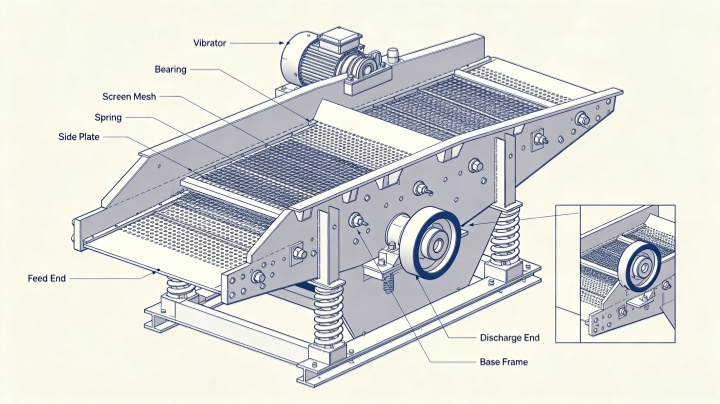
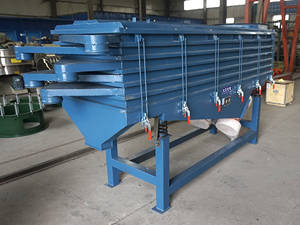
A Vibrating screen is the critical equipment in mining, aggregate, and mineral processing for size separation. When your vibrating screen encounters issues, unplanned downtime can cripple production. This comprehensive vibrating screen troubleshooting guide covers the most frequent vibrating screen problems, their root causes, and practical solutions to restore peak performance. Use this guide to systematically diagnose and resolve issues in your vibrating screen operation.
Unplanned downtime from screen failures can cripple production. The good news is that most common issues can be diagnosed quickly and resolved with the right approach. This guide covers the most frequent vibrating screen problems and practical solutions to get your equipment back to peak performance.
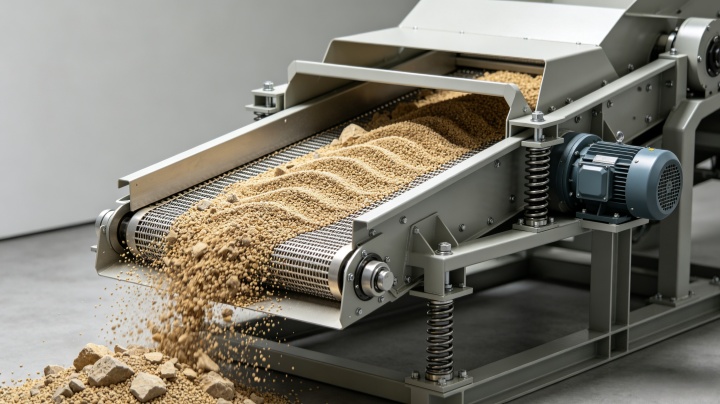
Bearing Overheating: The #1 Complaint
Bearing overheating is one of the most common issues operators face. Under normal conditions, bearing temperature should stabilize between 35-60°C after about four hours of no-load operation. If your bearings are running hotter than that, here's what to check:
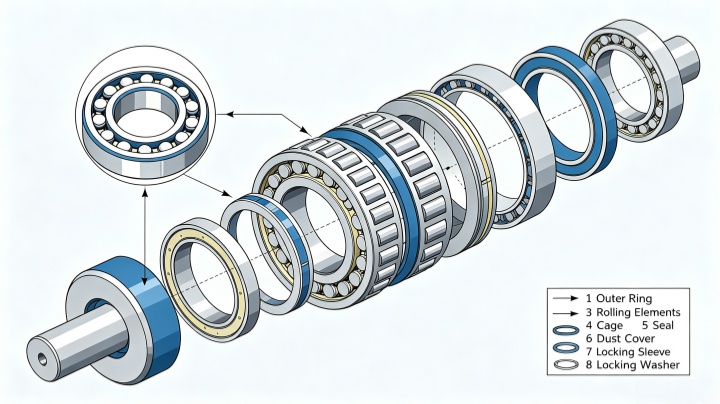
Possible causes and fixes:
-
Lubrication problems – Too little grease, too much grease, or the wrong type of lubricant can all cause overheating. When lubrication is insufficient, dry friction occurs—and the heat generated in a short period is enough to damage the bearing or even cause seizure. Open the bearing end cover for inspection regularly, and use the recommended lithium-based grease in the proper amount.
-
Incorrect bearing clearance – If the bearing's radial clearance is too small, it will overheat and wear rapidly. Use bearings with large radial clearance designed for vibrating screen applications. If you have standard clearance bearings, the outer ring can sometimes be ground to increase clearance.
-
Gland pressing too tightly – There should be a small gap between the gland and the bearing's outer ring to allow for heat dissipation and axial movement. Adjust the gasket between the end cover and bearing seat to achieve proper clearance.
-
Contamination – If slime or fine material enters the bearing end cover, it will cause temperature rise. Clean dirty bearings, replace the sealing ring, and check sealing conditions frequently.
Structural Cracks in Side Plates and Frames
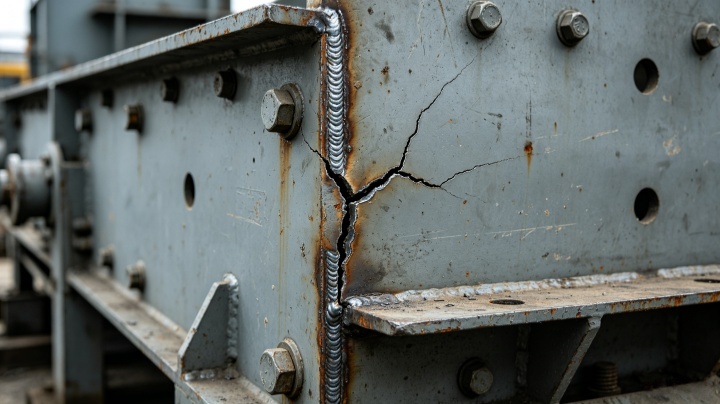
Cracks in side plates or the screen frame are serious issues that can lead to catastrophic failure. When stress concentrates in one area due to inconsistent vibration, the metal will eventually fatigue and crack.
Common causes and solutions:
-
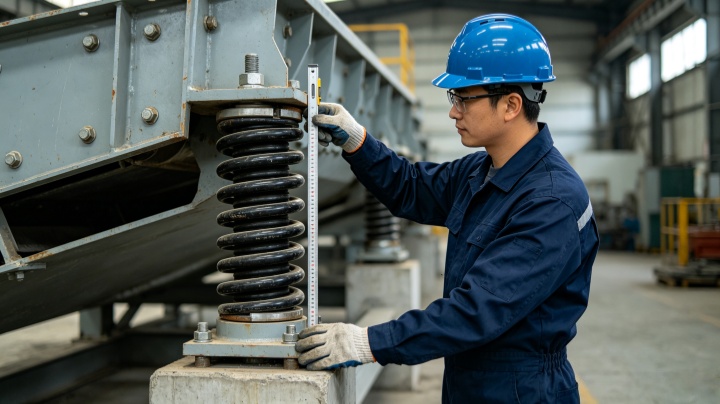
Uneven spring heights – If springs on opposite sides of the screen have elevation differences exceeding about 6mm, the screen box amplitude will be inconsistent, concentrating stress on one side. Install springs strictly according to standards and replace damaged or failed springs promptly.
-
Eccentric block mismatches – The angle, weight, and material of eccentric blocks must be identical. When disassembling or repairing the exciter, ensure all eccentric blocks are the same specification and installed with the same angle. Counterweights must be mounted symmetrically on both sides of the screen.
-
Welding stress – If cracks appear mainly at weld seams, the issue is often related to welding quality or the manufacturing process. Consider using riveted connections instead of welds where possible to reduce stress concentration.
-
Design issues – If cracks appear in high-stress areas or the frame shows overall deformation, the design may lack sufficient strength and rigidity. Adding reinforcing plates near the exciter area can strengthen the side plates.
Poor Screening Efficiency and Material Flow Problems
When your screen isn't separating material effectively, production quality suffers. Here's how to diagnose and fix efficiency issues:
-
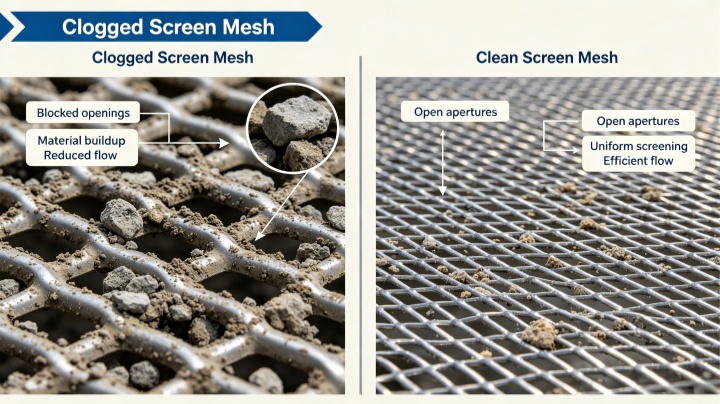
Screen media clogging (blinding) – When feed material has high moisture or clay content, particles stick to the screen surface and block openings. Clean the screen surface and adjust spray water volume if you have a wet screening setup. For severe cases, consider using elastic screen surfaces or adding impact balls that vibrate to self-clean the media.
-
Uneven feed distribution – If the feed chute is too narrow, material won't spread evenly across the full screen width. Adjust the chute width or add a feed distributor to ensure uniform loading. Uneven feed causes some areas to be overloaded while others sit idle.
-
Improper speed and stroke – Speed (RPM) and stroke (amplitude) work together. In general: finer screening needs less stroke and higher speed, while coarse separation requires more stroke and lower speed. Check your screen's settings against the manufacturer's recommendations for your specific application.
-
Worn screen media – Screen surfaces wear over time. Light wear can be repaired, but heavy wear requires replacing the entire screen panel.
Abnormal Vibration and Erratic Motion
If your vibrating screen is bouncing unevenly, twisting, or shaking excessively, the cause is almost always in the drive system or supports:
-
Polarization (uneven vibration) – The four spring support points may not be level, or the counterweight angles may have shifted. Check that all springs are at the same height and have consistent compression. Verify that the angle of each eccentric block is identical.
-
Torsional vibration (twisting) – The exciting force direction may have shifted, or the screen isn't placed on a level surface. Check whether the phase angles of eccentric blocks on the same shaft match. Make sure both motors rotate in opposite directions if your screen uses dual motors.
-
Excessive vibration amplitude – This could mean the excitation force is too strong, the damping springs are too stiff, or anchor bolts are loose. Adjust the eccentric mass to reduce excitation force, or replace springs with the correct stiffness rating.
-
Small amplitude – Possible causes include low supply voltage, insufficient eccentric mass, or too much feed material. Check voltage, add eccentric mass, or reduce feed rate.
Exciter (Vibrator) Failures
The exciter is the heart of your vibrating screen. When it fails, the screen stops working.
-
Heavy-load startup – Never restart a screen that's still full of material. The exciter isn't designed for heavy-load startup, and this can damage the universal coupling and other drive components.
-
Damping system issues – Failed springs or material buildup under the screen can cause the damping system to become uncoordinated, putting extra stress on the exciter. Inspect springs regularly and replace deformed or broken ones immediately.
-
Maintenance errors – Incorrect clearance adjustment during exciter maintenance is a common cause of failure. When reassembling, check the axial and radial clearances between the exciter, motor, and universal coupling. For dual-motor screens, select motors with identical damping characteristics to ensure synchronized operation.
Preventive Maintenance: Better Than Repair
The best troubleshooting is preventing problems before they start. Implement these practices:
-
Establish a baseline – When your screen is new or freshly commissioned, record diagnostic data: spring heights, orbit measurements at six positions, speed, and drive direction. Compare against this baseline during routine inspections to spot changes early.
-
Daily checks – Perform a visual inspection every shift. Look for material buildup, loose bolts, signs of wear, and check that grease lines are intact. Ensure screen media is tensioned properly.
-
Weekly checks – Use an infrared thermometer to check bearing temperatures after the machine has run for at least four hours. This will help you spot developing issues before they cause downtime.
-
Monthly checks – Inspect drive V-belts for wear and tension, check all bolted connections, and tighten any loose hardware.
-
Seasonal diagnostics – Run comprehensive condition assessments every three to four months. Use ultrasound to measure steel thickness in indicator areas (like feed zone cross members) to detect perforations before they become serious.
Quick Reference: Common Problems at a Glance
|
Problem |
Most Likely Cause |
Quick Fix |
|
Bearing hot |
Wrong lubricant quantity |
Check and adjust grease level |
|
Bearing hot |
Too little radial clearance |
Use bearing with larger clearance |
|
Side plate cracks |
Springs uneven height |
Replace springs as a matched set |
|
Side plate cracks |
Eccentric block mismatch |
Standardize all eccentric blocks |
|
Poor screening |
Screen blinding |
Clean media; adjust spray water |
|
Poor screening |
Uneven feed |
Widen feed chute or add distributor |
|
Erratic vibration |
Springs not level |
Level all four support points |
|
Low amplitude |
Low voltage or eccentric mass |
Check power; add eccentric mass |
|
Exciter failure |
Heavy-load startup |
Clear material before restarting |
|
Exciter failure |
Damping system problems |
Inspect springs and screen under-area |
Vibrating screens are critical to production, but they're also demanding pieces of equipment. Many failures can be traced back to simple issues: improper lubrication, uneven spring supports, or mismatched eccentric blocks
By implementing a regular inspection program and knowing what to look for, you can catch problems early and avoid the unplanned downtime that costs your operation time and money. Establish a baseline when your screen is running well, stick to your maintenance schedule, and don't ignore the warning signs—no matter how small they seem.
Need help with a specific vibrating screen issue? Contact our technical support team for expert guidance.


 Online Chat
 Email
Email